
Download PureSync – File Backup, Data Protection, Automated Backup, Real-Time Sync, Secure Storage
Overview
PureSync is a productivity-focused mobile application developed by Joe C. Jones, designed to safeguard important files and folders through reliable backup mechanisms. The app addresses the common risk of data loss due to device crashes, accidental deletions, or hardware failure by offering a streamlined backup solution tailored for everyday users. Its primary purpose is to ensure that critical digital content—such as documents, photos, and personal projects—remains consistently updated and securely stored. The target audience includes individuals seeking a simple yet effective way to protect their data without requiring advanced technical knowledge.
PureSync operates by enabling users to select specific files and folders for backup, which are then managed through automated processes. This approach minimizes manual effort while maximizing data integrity. Real-world use cases include backing up family photos, work-related documents, and financial records on a regular basis. In the broader app ecosystem, PureSync fills a niche for lightweight, user-friendly tools that prioritize data safety without overwhelming users with complex settings. Although the developer did not provide additional technical details about the app’s architecture or cloud integration, its focus on automation and real-time monitoring suggests a practical solution for users who value both convenience and security in file management.
Key Features & Functionality
- Automated Backups: Users can schedule backups to occur daily, weekly, or trigger automatically when files are modified. This ensures continuous data protection without requiring manual checks.
- Easy File Selection: The interface allows users to browse and select specific folders and files for backup, simplifying the setup process for non-technical users.
- Multiple Backup Destinations: Files can be saved to various external storage locations, such as USB drives or network folders, enhancing redundancy and recovery options.
- Real-Time Monitoring: PureSync continuously tracks changes in designated files and folders. Any modification triggers an immediate backup, preserving the most recent version of data.
- User-Friendly Interface: The app features a clean, intuitive layout with straightforward navigation, allowing users to configure settings and initiate backups in just a few clicks.
For example, a user working on a project document can enable real-time monitoring so that every edit is instantly backed up. Similarly, someone managing a photo library can schedule weekly backups to an external drive, ensuring no memories are lost. These features collectively reduce the risk of data loss and support a seamless workflow for personal and professional use.
Interface, UX & Performance
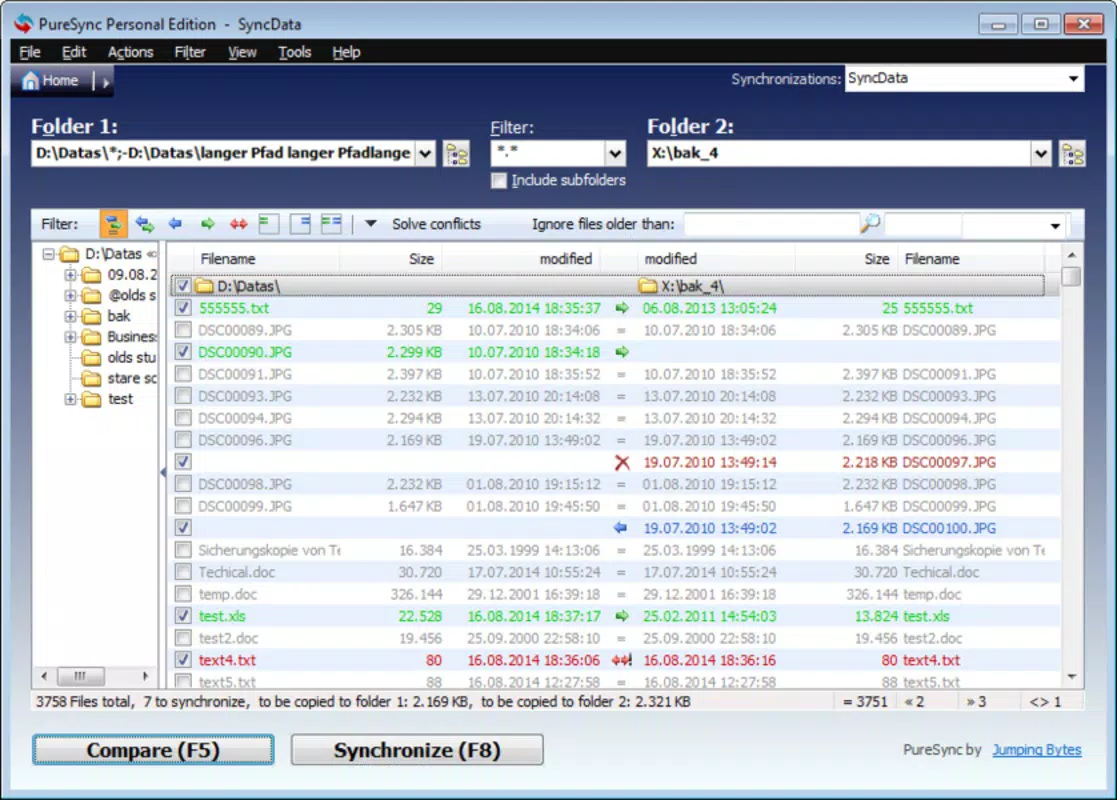
PureSync presents a clean, minimalist interface focused on usability and clarity. The layout emphasizes essential functions such as file selection, backup scheduling, and destination configuration, minimizing visual clutter. Navigation is linear and consistent, with clear labels and logical grouping of settings, which supports efficient user onboarding. The app’s design prioritizes accessibility, making it suitable for users of all technical skill levels.
Although the developer did not list formal performance metrics, the app’s lightweight footprint of 18.2 MB suggests optimized resource usage. It is expected to function smoothly on a range of Android devices, including mid-tier and entry-level models. Responsiveness appears to be a key focus, as real-time monitoring requires consistent background activity without significant battery drain or lag. Stability is likely maintained through efficient task management, though specific crash reports or performance benchmarks were not disclosed. Overall, the UX experience aligns with modern standards for utility apps, emphasizing speed, simplicity, and reliability in daily use.
Platform Compatibility & Technical Requirements
PureSync is available exclusively on the Android platform. The app requires Android 6.0 or higher, though the developer did not specify minimum OS requirements in detail. The current version is 1.2.0, with a file size of 18.2 MB, indicating a compact and efficient installation package. This makes it suitable for devices with limited storage space. No additional hardware dependencies were mentioned, but users may need access to external storage or network-connected drives to utilize the multiple backup destination feature.
Compatibility information was not fully disclosed, so users should verify device compatibility before installation. The app is available for free, with no in-app purchases or advertisements noted in the provided data. Updates are likely released periodically to improve functionality and address potential issues, though the update frequency was not specified.
Pros and Cons
Pros
- Lightweight design with minimal storage impact (18.2 MB)
- Automated and real-time backup options for continuous protection
- Simple, intuitive interface suitable for non-technical users
- Supports multiple backup destinations for enhanced data redundancy
- Free to download and use with no hidden costs
Cons
- Platform availability limited to Android only
- Specific OS version requirements not clearly stated
- No information on cloud backup integration or remote access
- Developer did not provide performance benchmarks or battery usage data
- Compatibility with older devices not confirmed
FAQ
Is PureSync safe to use on my Android device?
PureSync is designed with data protection in mind and operates within standard Android security permissions. As a free app developed by Joe C. Jones, it does not require root access or excessive permissions. Users are advised to download it only from official sources to ensure integrity.
Can I back up files to cloud storage like Google Drive or Dropbox?
The provided information does not specify support for cloud-based backup destinations. PureSync appears to focus on local or external storage options, but cloud integration was not confirmed.
How often can I schedule backups?
Users can schedule backups daily, weekly, or set them to trigger automatically upon file changes, offering flexible protection based on individual needs.
Does PureSync work in the background?
Yes, the app supports background operation to enable real-time monitoring and automated backups without requiring constant user interaction.
Is there a paid version of PureSync?
PureSync is currently free to download and use. No premium features or subscription models were mentioned in the provided data.
Final Thoughts
PureSync stands out as a practical, no-frills solution for Android users seeking reliable file backup capabilities. Its combination of automated scheduling, real-time monitoring, and simple setup makes it ideal for individuals who want to protect their data without navigating complex software. While it lacks cloud integration and detailed technical specifications, its lightweight design and focus on core functionality deliver strong value for personal use. The app is especially beneficial for users managing important documents, photos, or projects who prioritize ease of use and data security. For those looking to safeguard their digital life with minimal effort, PureSync offers a trustworthy and accessible option.
Download PureSync now


